
The practice app for classical musicians
and early music,
students and professionals
Go to the app10 days free · no credit card
First, discover the site ↓The concert musician's toolkit
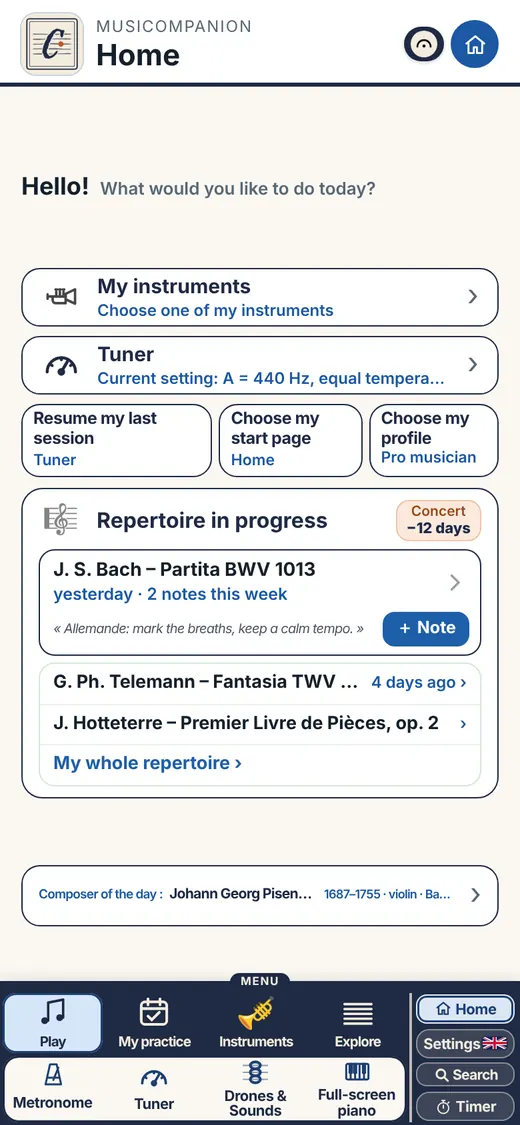
A sober interface, with no games or mascot: your instruments, your temperaments, your repertoire and your deadlines.
Everything at hand
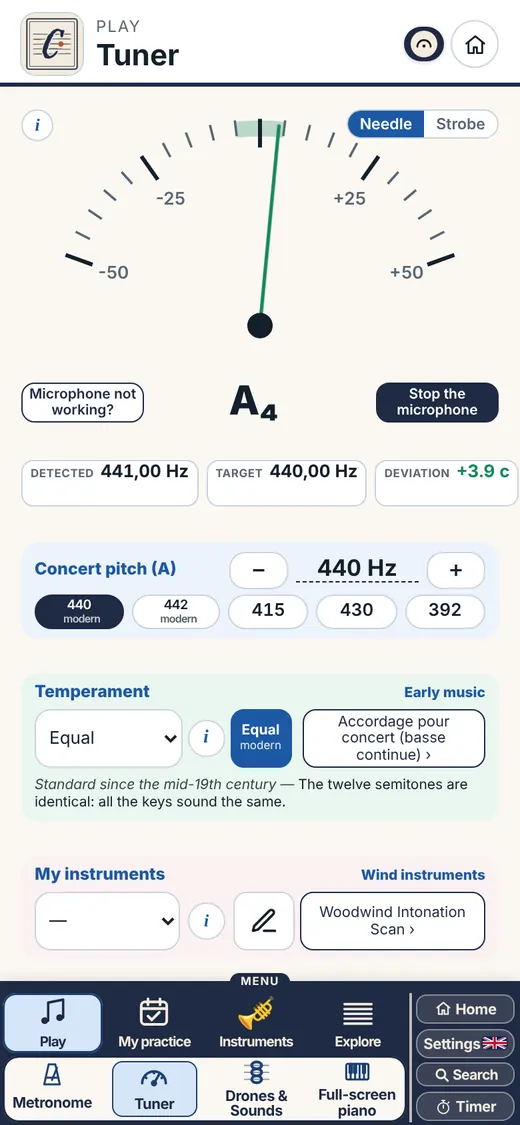
Your instruments and personal settings are saved and waiting for you at every session: metronome tempos, the pitch of each of your instruments, drone and piano automatically tuned the same way; a practice log in the Pro display: a notebook for each piece, where you dictate your observations and note your deadlines, 15 practice recordings, the Brass, Strings and Plucked strings pages, and the Wind Intonation Scan, which shows the correction to make on each note of your wind instrument against the temperament (equal or historical) and provides a PDF.
The right temperament for every programme
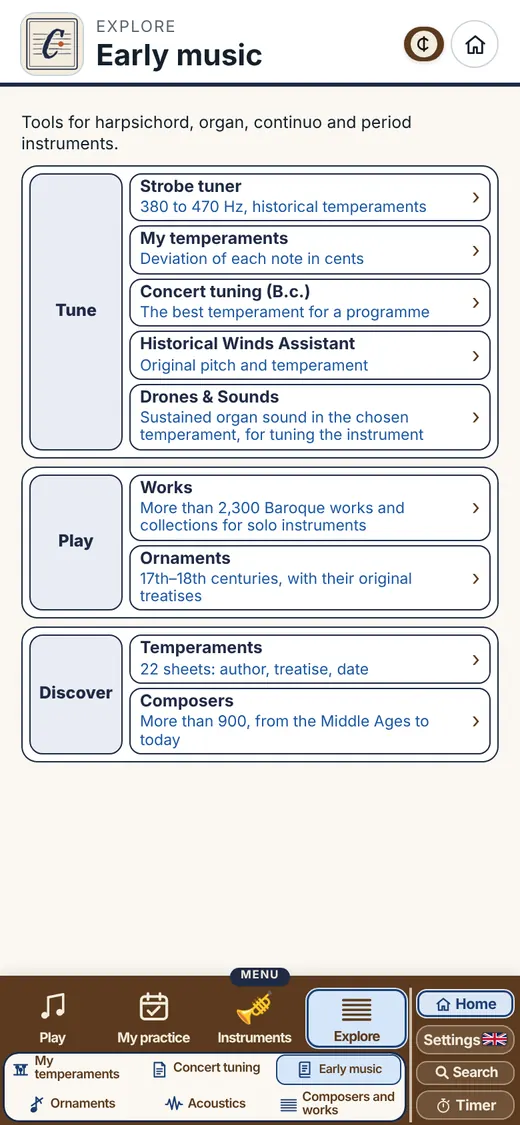
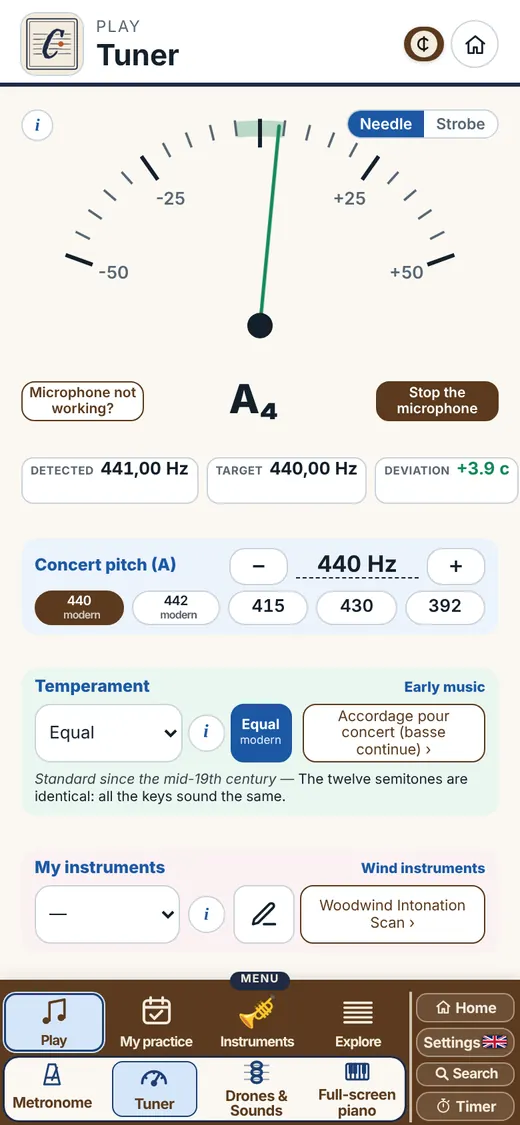
Twenty historical temperaments, a strobe tuner and source notes on each temperament; Concert tuning for keyboard instruments and basso continuo, which finds the best compromise for a whole programme; and the Historical Winds Assistant, which determines the pitch and the natural temperament of the instrument.
In the Early music profile
4,700+
links to original prints and manuscripts, freely downloadable, for a selection of instruments: recorder, transverse flute, oboe, violin, viola da gamba, cello, harpsichord, organ, lute and voice.
The repertoire is divided into four sections:
For the Renaissance, the concert repertoire also includes ensemble pieces for up to four instruments.
Plus the ornament tables of the 17th and 18th centuries, each with its original treatise.
From the first flute lesson to the recital on period instruments, MusiCompanion is the companion of classical musicians of all levels and all ages, with special features for wind instruments, brass, strings and plucked strings, and for historical performance.
Where does this C come from?
In 1680, in London, John Playford printed Thomas Greeting's The Pleasant Companion, a method for the flageolet. A few years earlier, Samuel Pepys had hired Greeting to give lessons to his wife.
Our logo takes the C from that title page and sets it on a stave. The orange dot is a note: yours.
Greeting's companion fitted in a pocket. So does ours.
New features
Brass
Tuner and drone in written pitch, warm-up, long tones, pure intervals and chords, Brass intonation scan, transposition.
Strings
Violin, viola, cello, double bass and viols: tuning, scales measured by the microphone, intonation curve.
Plucked strings
Guitar, lutes, vihuela, theorbo, baroque guitar: string-by-string tuner, fingerboard map, fret positions.
Hands-free
Auto-advance when the note is held in tune, Bluetooth pedal, and a session stopwatch that pauses when you stop practising.
Strobe tuner
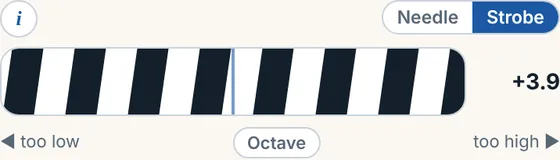
Needle or Strobe: one button is enough.
Gift voucher
Give a year of MusiCompanion Complete, with a gift voucher to print or send.
Everything MusiCompanion contains
An app for melodic instruments, strings, plucked strings and early keyboards, with advanced features for wind instruments, modern and historical.
The two subscriptions offered after your trial period
Essential: only the Metronome and the Tuner (at 440 Hz, equal temperament).
Complete: all the features described below, including the practice log, solfège, singing, historical temperaments and pitches from 380 to 470 Hz.
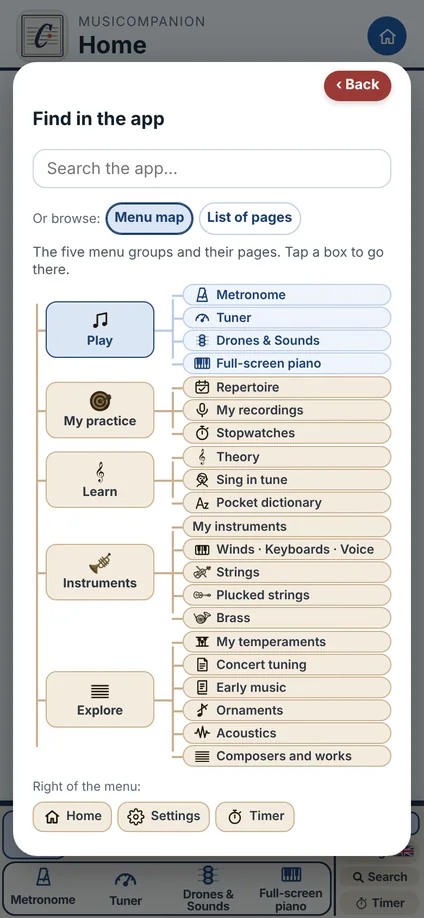
🎵Play
Tuner: automatic microphone, attack ignored for plucked strings; strobe tuner (in Complete).At 440 Hz also in Essential
Metronome: time signatures from 1/1 to 12/8, choice of the volume and sound of the metronome, all beats equal or with an accent on the first beat of the bar. Up to 30 saved tempos and time signatures, to find the tempo of the pieces you are working on easily. With ‘Tap tempo’, you tap the tempo you want for a piece and the metronome sets the tempo. You can connect a Bluetooth pedal to start, stop and change the tempo without putting your instrument down.Also in Essential
Drones & Sounds: piano or organ, every octave, one or several notes at once, tuned to the chosen pitch and temperament; a drone for working on intonation, and a large piano on tablet and computer.
Full-screen piano: the whole screen becomes a keyboard, with the note name on every key (sharp and flat on the black keys): two octaves on a phone held sideways, three on a computer. Double arrows to change octave, single arrows to move one key, volume control; the same sounds, pitch and temperament as Drones & Sounds. For practising your harmony lessons without a piano at hand.
🎯My practice
Practice log, calendar and sending: calendar, weekly and monthly summaries, written or dictated comments, practice times, and the option to send comments and recordings by email or WhatsApp.
My recordings: up to 15 recordings, to rename, keep and listen back to; a recording continues while you change pages (for example to start the metronome or a drone). Quality 192 kbit/s, about 1.4 MB per minute (15 recordings of 10 minutes ≈ 220 MB). No maximum length: the app shows the space used and the recording time still available, depending on the free memory of the device.
Stopwatches: practice-session stopwatch (always visible at the bottom right of the menu, duration entered in the calendar) and piece stopwatch. The session stopwatch can pause by itself when you stop practising (sound, voice, clapping, taps in the app), after 30 seconds to 5 minutes as you choose.
𝄞Learn
- 𝄞
Solfège: theory explained simply, exercises and tests at two levels of difficulty (reading, rhythms, time signatures, intervals by ear, keys, chords, cadences), the basics of harmony and figured-bass figures, an index. Reading tests in every clef (treble, treble an octave lower, bass, alto and tenor) and “Line reading”.
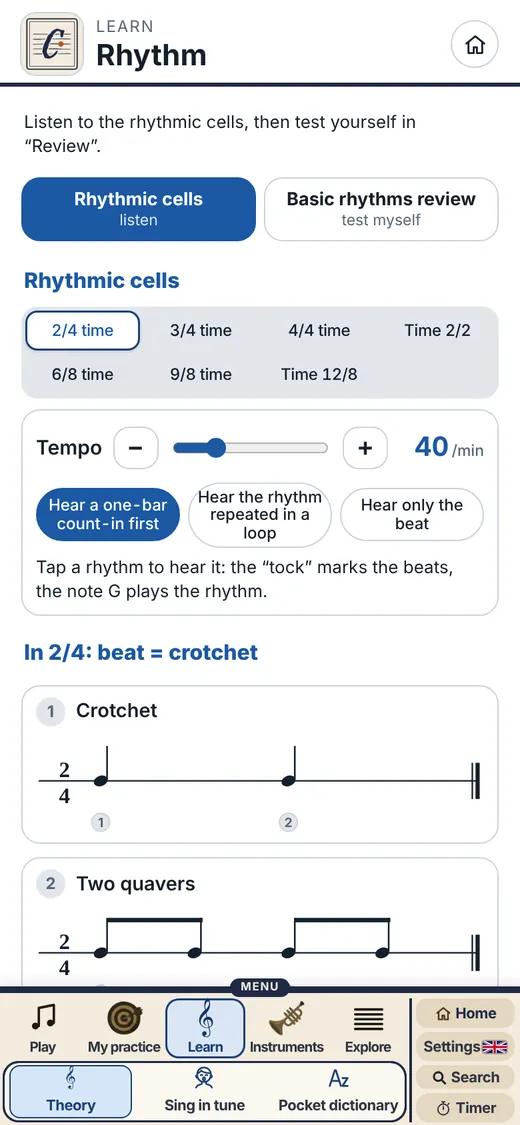
Rhythms / Keys: rhythm patterns from 2/4 to 12/8, heard with the metronome, and reading tests; note values (from the semibreve to the semiquaver); intervals you can see and hear on a piano, with the semitones; keys and their key signatures (major and relative minor).
Sing in tune: vocal range test, vocal warm-ups accompanied on the piano, 12 progressive sung solfège exercises (the microphone tells you whether the note is in tune), intonation work with a drone and “Sing a melody”: a new tonal melody every time, to read, tap and sing in 6 steps, with pitch and rhythm correction.
- Az
Glossary: every musical term used in the app, from A to Z, with a link to the theory.
🎺Instruments
- 🎺
My instruments: up to 15 instruments and presets, with their pitch and temperament.
- 📯
Brass: for brass and transposing instruments: tuner and drone in written pitch, warm-up, long tones, pure intervals and chords, Brass intonation scan, transposition, lip rest.
Strings: violin, viola, cello, double bass and viols: tuning, scales measured by the microphone, intonation curve, Biber’s scordatura.
Plucked strings: guitar, lutes, vihuela, theorbo, baroque guitar: string-by-string tuner, fingerboard map, String intonation scan, fret positions.
Wind Intonation Scan: modern or historical instrument, as you choose.
Modern instrument: the correction to make on each note against equal temperament, at a pitch from 439 to 445 Hz, with a printable PDF (staff and table).
Historical instrument: the Historical Winds Assistant determines the pitch and the natural temperament, then the PDF of corrections for the chosen temperament and pitch. The measured pitch depends on the playing conditions: breath, temperature, how warm the instrument is.
🎼Explore
Concert tuning (B.c.): for harpsichord and continuo, when you do not retune between pieces. You enter the key of each piece in the programme and, if you wish, its composer or period. The app compares the historical temperaments and suggests three, one from each family: for each, “Why this temperament?” sums up its period and its intonation, and a colour-coded table shows the purest, acceptable and least pure keys. A single tap then sets the Tuner and the drones to the chosen temperament.
Composers and works: more than 900 composers from the Middle Ages to the 21st century (teachers, pupils, positions held), with a timeline of the periods, and historical repertoire for solo instruments: more than 4,700 works and collections, with a link to the copyright-free score.
Ornaments: 17th- and 18th-century ornament tables with their original treatise, and a comparative table of names, signs and performance in France, Germany, Italy and England.
What makes MusiCompanion different
For everyone
- An interface for your profile: pupil (child or adult), voice, professional musician, early music or teacher; and, in My instruments, dedicated pages for each family: woodwinds, strings, plucked strings, brass.
- A customisable interface: everyone hides the pages they don’t need. No ads.
- A practice log to share: timed sessions noted in the calendar, written or dictated comments, recordings; for professionals, a notebook for each piece with observations and deadlines; option to send by email or WhatsApp.
- Hands-free: auto-advance when the note is in tune, option to connect a Bluetooth page-turner pedal, screen always on.
- Drones: church organ, chamber organ or harmonium sound, tuned to your pitch and temperament, to work on the intonation of intervals.
For instrumentalists
- Woodwinds: the Wind Intonation Scan gives the correction for each note of a modern instrument (printable PDF); the Historical Winds Assistant finds the pitch and natural temperament of a historical instrument.
- Strings (violin, viola, cello, double bass, viols): open strings in pure fifths, equal or meantone, Biber’s scordatura, scales, arpeggios and thirds measured by the microphone, intonation curve.
- Plucked strings (guitar, lutes, vihuela, theorbo, baroque guitar): string-by-string tuner, String intonation scan, fret positions according to the temperament (PDF).
- Brass and transposing instruments: tuner and drone in written pitch, lip slurs, long tones, pure intervals and chords, Brass intonation scan, transposition (Arban, Schlossberg, Farkas…).
- A tuner at orchestral pitch or for early music: pitches from 380 to 470 Hz, 20 historical temperaments (Vallotti, Kirnberger III, Werckmeister III, Bach-Kellner, Young, meantone…).
- My instruments and my temperaments: 15 instruments saved with their pitch and temperament; up to 15 personal temperaments of your own, set to the nearest cent.
For the voice
- Sing in tune: vocal range test, warm-ups accompanied on the piano, 12 sung solfège exercises in which the app shows how in tune each note is.
- Sing a melody: new melodies generated automatically; a progressive path in 6 steps, with pitch and rhythm correction.
To understand what you play
- Music theory explained simply: notes, rhythms, time signatures, intervals, keys, chords, cadences, figured bass.
- Exercises: reading, rhythm (clapping a written rhythm, rhythmic dictation), theory tests.
- Musical culture: more than 900 composers, from the Middle Ages to the 21st century, ornaments, glossary.
- Repertoire for solo instruments, from the Middle Ages to the early Romantic period: for recorder, transverse flute, oboe, violin, viola da gamba, cello, harpsichord and fortepiano, organ, lute and voice, with a link to the freely downloadable score, often the original print or the manuscript. More than 4,700 works and collections, including works with obbligato harpsichord or fortepiano (keyboard part fully written out, without basso continuo).
In French, Italian, English and German. No adverts.
Ten days to try everything
The trial opens the whole app. It starts with an email address, no credit card. Then you choose.
The two subscription plans:
Essential
The metronome and the tuner at 440 Hz, equal temperament.
What Essential includes ›Complete
The whole app and its updates, on three devices in the same household.
Everything Complete includes ›Launch offer · Complete
The whole app at the launch price, and twenty free days instead of ten, with no commitment, for those who take part in the launch and give us their feedback. Limited places.
Take part in the launch ›| Plan | Price | Cost for one year |
|---|---|---|
| Monthly subscription, can be cancelled every month | €9.95 | €119.40 |
| 6-month subscription | €39.95 | €79.90 |
| Yearly subscription | €69.95 | €69.95 |
| Launch offer, until 31 March 2027 | ||
| 6-month subscription | €29.95 | €59.90 |
| Yearly subscription | €49.95 | €49.95 |
| Complete for life, one-time payment | €119 | — |
Give MusiCompanion
A gift voucher for one year of MusiCompanion Complete: €49.95 until 31 March 2027, then €69.95. The code arrives by email; the gift voucher can be downloaded and printed, or sent by email.
Prices include VAT, as of 2 November 2026. The terms shown in the app apply.
Which app should you choose?
Apps available on Google Play as of 17 October 2026 offering features related to those of MusiCompanion.
| App | Languages | Price | Tuner | Named historical temperaments | Pitch below 415 Hz | Metronome | Drones or reference tones | Practice log (time) | Sending to the teacher | Recordings | Goals and rewards | Theory and exercises | Singing with the microphone | Intonation scan as PDF | Composers and ornaments | Child and adult interface |
|---|---|---|---|---|---|---|---|---|---|---|---|---|---|---|---|---|
| MusiCompanionAll-in-one | French German English Italian | 10-day trial Essential: €9.95 a year Complete: €9.95 a month, €39.95 for 6 months or €69.95 a year | ✓ | ✓ | ✓ | ✓ | ✓ | ✓ | ✓ | ✓ | ✓ | ✓ | ✓ | ✓ | ✓ | ✓ |
| TonalEnergy Tuner & MetronomeTuner | FR DE EN IT +5 | Price not shown | ✓ | – | ✓ | ✓ | – | ✓ | ✓ | – | – | – | – | – | ||
| TunableTuner | EN | Included in Google Play Pass | ✓ | – | ✓ | ✓ | – | – | ✓ | – | – | – | – | – | – | |
| Peterson StrobeTuner | EN | $9.99 + in-app purchases | ✓ | ✓ | ✓ | – | – | – | – | – | – | – | – | – | – | – |
| A-TunerTuner | ? | $2.49, no ads | ✓ | ✓ | – | ✓ | ✓ | – | – | – | – | – | – | – | – | – |
| Pano TunerTuner | EN | Free with ads; purchase to remove them | ✓ | ✓ | – | – | ✓ | – | – | – | – | – | – | – | – | – |
| Stimmung: Tuner & IntonationTuner | ? | Free (per listing) | ✓ | ✓ | – | – | ✓ | – | – | – | – | – | – | – | – | – |
| Soundcorset Tuner & MetronomeTuner | FR DE EN IT +26 | Free with ads; in-app purchases | ✓ | – | – | ✓ | – | ✓ | – | ✓ | – | – | – | – | – | – |
| Soundbrenner MetronomeMetronome | FR DE EN IT +8 | In-app purchases | – | – | – | ✓ | – | ✓ | – | – | ✓ | – | – | – | – | – |
✓ feature stated on the Google Play listing or the official website · partly · – not mentioned (this does not mean it does not exist).
Google Play listings and official websites checked on 17 October 2026; prices in US dollars where the listing shows them so. Prices and features may change. MusiCompanion is not on Google Play yet: it runs in the browser of your phone, tablet or computer.
App languages according to the App Store: FR French, DE German, EN English, IT Italian; + number of other languages; ? languages not found.
Play Pass: a Google subscription giving access to hundreds of apps and games, with no ads or in-app purchases, which can be shared with the family; price depends on the country.
In-app purchases: the app can be downloaded for free or for a small price, then you pay inside the app to unlock features, a full version or a subscription.
MusiCompanion in two pages
A page for children and their parents, and a page for musicians and teachers. Print it out or share it with your pupils.
↓ Download the PDF (2 A5 pages)

Questions
Does it work without the internet?
Yes, after a first full load over Wi-Fi. An old phone without a SIM card can become a child's practice device. Sending recordings or comments, managing the account and dictating comments by voice need a connection.
Which phone?
iPhone and Android. The app opens in the browser and installs on the home screen. A Google Play version is in preparation.
Where do my recordings go?
They stay on the device, as do the calendar and comments. A backup file lets you transfer them. Pitch analysis keeps no audio.
Who makes MusiCompanion?
A group of teachers and concert performers in Valais, Switzerland.
Teachers and conservatoires
You can receive a personal link to recommend MusiCompanion. As a thank you, you receive free months or MusiCompanion Complete subscription vouchers to give. Schools and conservatoires can also get 20 % off for their pupils. Getting a link is free and without obligation. Watch the video and read the terms